Guide
How to Use the PSA Method Calculator
Compare sensitivity within one game using your own in-game feedback, one round at a time. This calculator does not convert sensitivity between games.
Make each comparison count
This tool narrows a preference range. It does not measure your aim or guarantee a perfect sensitivity.
Keep the setup fixed
Record your game, DPI and starting sensitivity. Keep your weapon, practice task and available mouse space the same.
Compare equal practice blocks
Try each candidate for 30–90 seconds as a practical starting routine, not a validated measurement standard. Compare overshoots, short turns and correction effort; reverse the order on a second attempt.
When neither is clearly better
Repeat the comparison after a break. You can leave this tab open and resume later. Do not force a choice from one lucky shot or keep testing through discomfort.
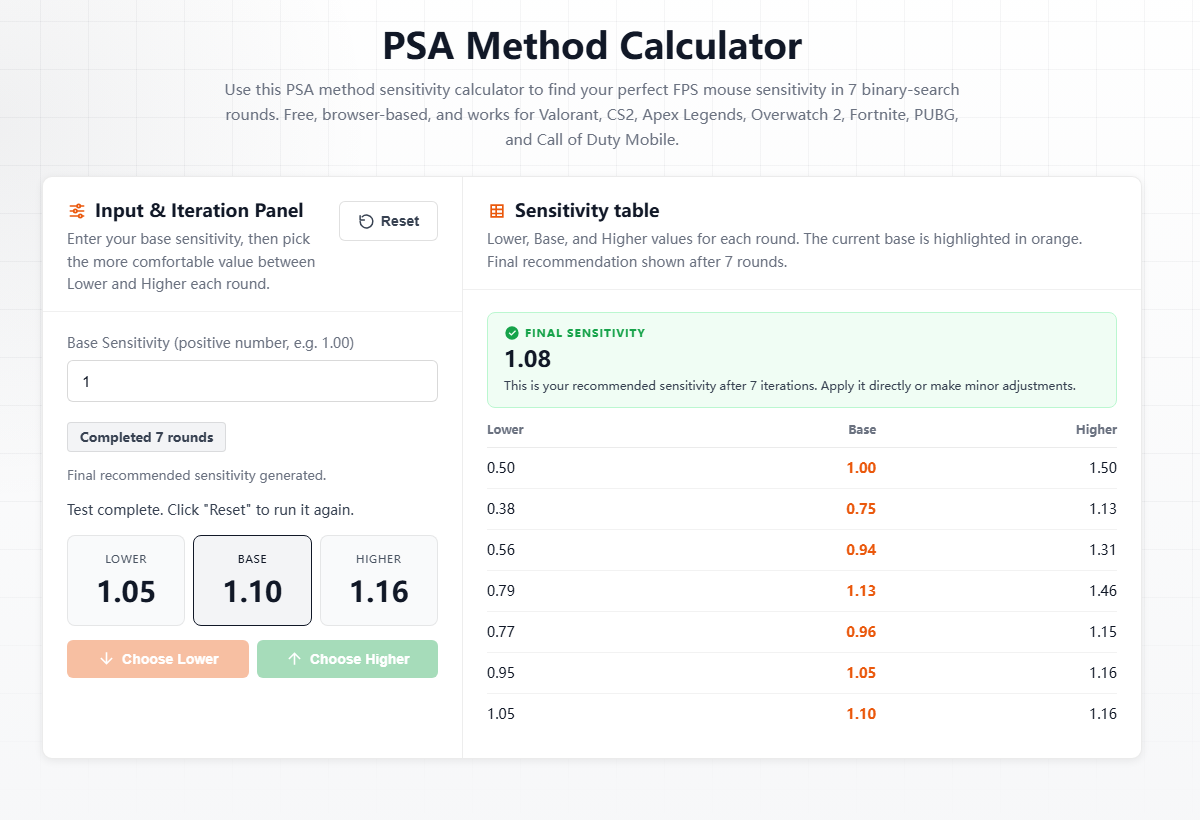
Worked example: starting at 1.00
Illustrative choices only, not a player performance record. Your own choices should come from testing both values in-game.
Next base = (current base + chosen candidate) ÷ 2. Display values use at least two decimal places, with extra precision below 1; calculations retain number precision. The first Lower choice changes the base from 1.00 to 0.75, not 0.50.
| Round | Lower | Higher | Example choice | Next base |
|---|---|---|---|---|
| 1 | 0.50 | 1.50 | Lower | 0.75 |
| 2 | 0.375 | 1.13 | Higher | 0.938 |
| 3 | 0.563 | 1.31 | Higher | 1.13 |
| 4 | 0.787 | 1.46 | Lower | 0.956 |
| 5 | 0.765 | 1.15 | Higher | 1.05 |
| 6 | 0.947 | 1.16 | Higher | 1.10 |
| 7 | 1.05 | 1.16 | Lower | 1.08 |
Check your result
Keep the same DPI and compare the result with your original setting across several practice sessions. Record control and comfort as well as scores. If problems persist, repeat under rested, consistent conditions. This is a starting point, not evidence of improved aim.
Your practice record
Copy this template into your notes. These are empty fields for your own observations, not published test results.
Date / game / practice task:
DPI / original sensitivity / mouse space:
Round / candidate / duration / order:
Overshoots / turns that fall short / correction effort:
Choice and reason (or repeat comparison):
Final value / follow-up session / comfort and control:
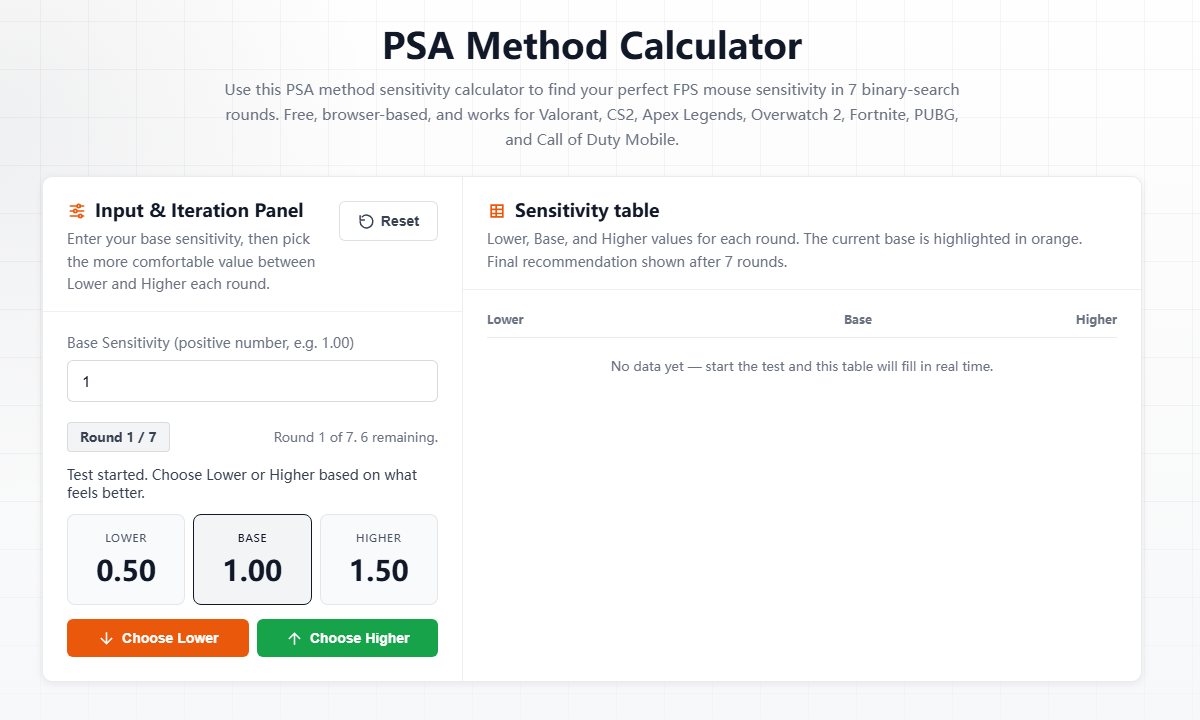
The most important rule is simple: do not click through the calculator without testing in your game. For each round, the calculator gives you a lower and higher sensitivity value. Test both values in-game, return to the calculator, then choose the one that feels easier to control.
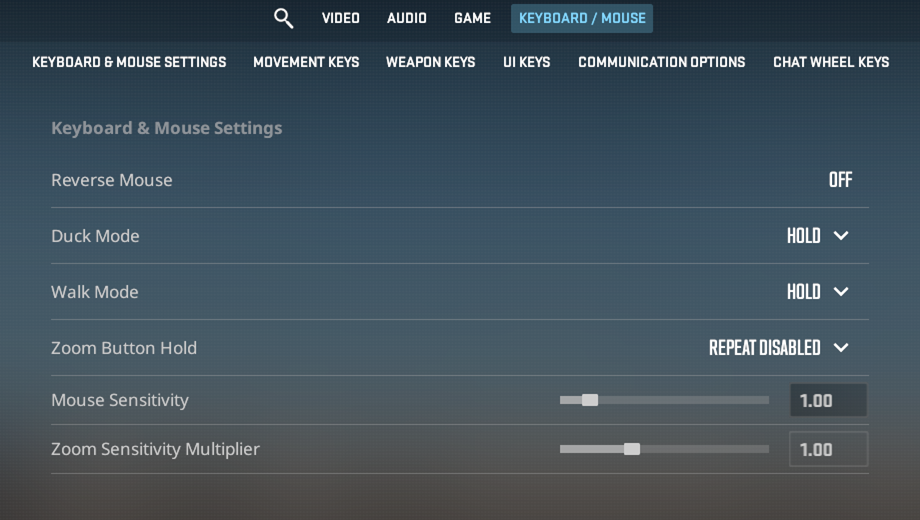
Step 1: Enter your current sensitivity
Open the calculator and enter the sensitivity you already use in your game. In this example, the starting CS2 sensitivity is 1.00. Keep your DPI and mouse setup the same while you test.
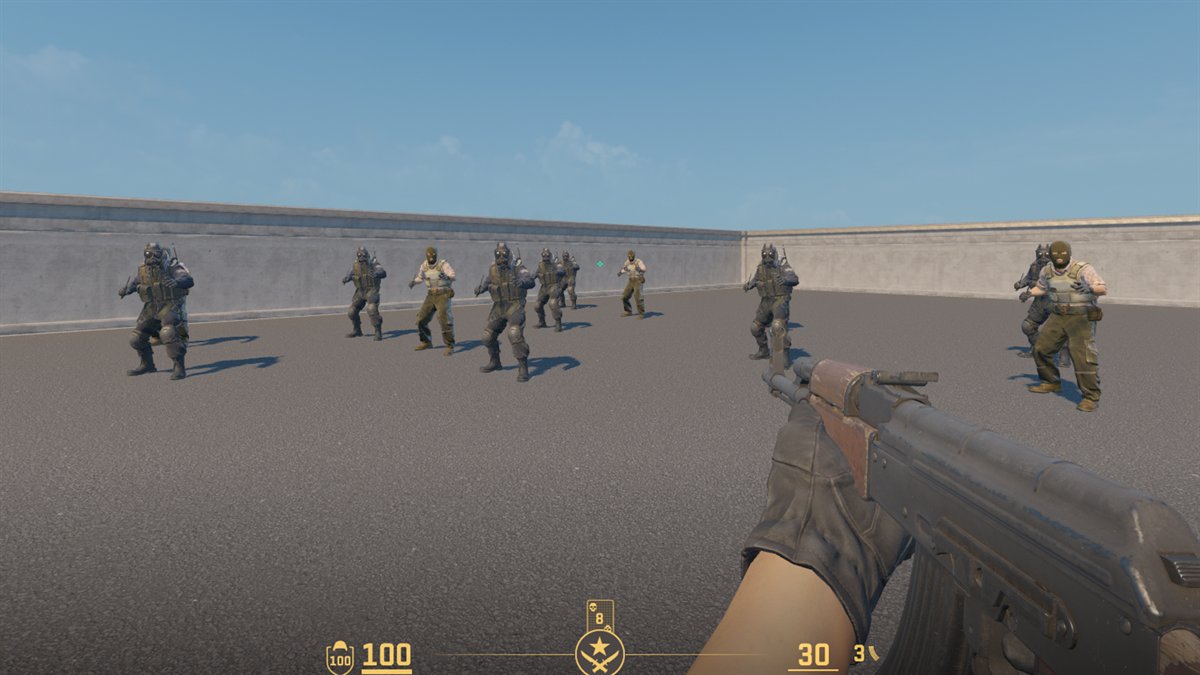
Step 2: Test Lower and Higher in-game
Copy the lower value into your game and test it in the same practice environment. Then copy the higher value and test again. Try not to judge by one lucky shot. Pay attention to tracking, flicks, micro-adjustments, and whether you overshoot the target.
Use a repeatable test drill
A PSA round is only useful when both candidates are tested under similar conditions. Use the same map, same weapon, same crosshair, same DPI, same resolution, and roughly the same posture for every comparison. In CS2, that might mean a short bot routine, recoil reset practice, and a few angle-clearing movements. In Valorant or another FPS, use a range drill or aim trainer task that includes both large turns and small corrections.
You do not need to spend twenty minutes on every candidate, but you should give each value enough time to reveal a pattern. A practical rule is to test each side for 30 to 90 seconds in the same drill. If the two values feel close, repeat the comparison once before choosing. The calculator can narrow the range, but it cannot fix rushed input.
How to decide between Lower and Higher
Do not choose only because one candidate produced a highlight shot. Look for the setting that is easier to repeat. A lower sensitivity often feels steadier for micro-corrections and holding angles, while a higher sensitivity may feel more natural for fast turns or wide flicks. The better choice is the one that gives you fewer forced corrections across several attempts.
- Choose Lower if the higher value makes you overshoot targets or fight your crosshair.
- Choose Higher if the lower value feels sluggish, late, or physically cramped.
- If both feel similar, repeat the same drill and choose the value that feels easier to control when you are tired.
Step 3: Return to the calculator and choose
After testing both values, return to the calculator. If the lower value felt more stable, choose Lower. If the higher value felt more natural, choose Higher. The calculator then creates the next round.
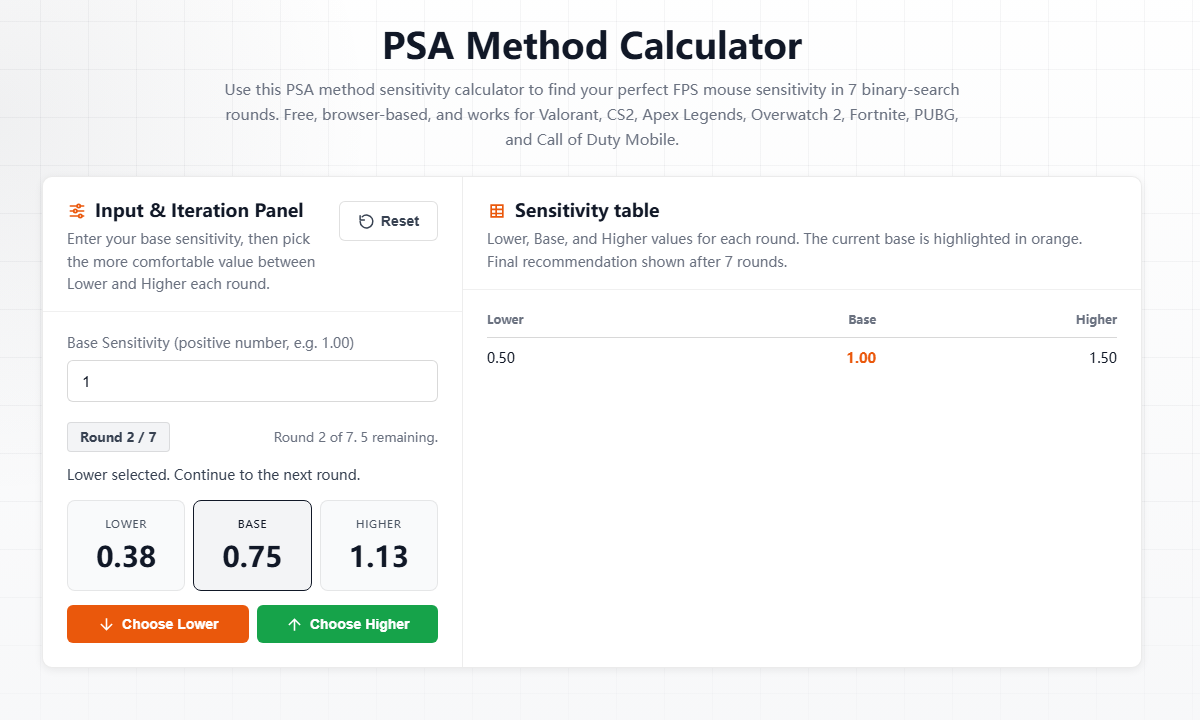
Example: a 7-round sensitivity test
Here is an illustrative calculation starting from 1.00. These choices demonstrate the algorithm, not a measured player performance record.
| Round | Illustrative choice | Resulting base sensitivity |
|---|---|---|
| Start | Current CS2 sensitivity | 1.00 |
| 1 | Lower | 0.75 |
| 2 | Higher | 0.938 |
| 3 | Higher | 1.13 |
| 4 | Lower | 0.956 |
| 5 | Higher | 1.05 |
| 6 | Higher | 1.10 |
| 7 | Lower | 1.08 final |
These values use the calculator’s display precision: at least two decimal places, with extra places below 1. The next round uses the unrounded value, so calculating from the displayed numbers alone can differ slightly.
What to do with the final value
Use the final sensitivity for a few matches or practice sessions before changing it again. The goal is not to chase a perfect number every day. The goal is to find a value that feels controlled, repeatable, and comfortable under real aiming conditions.
Common mistakes to avoid
The most common mistake is treating PSA like a calculator-only process. If you click Lower or Higher without testing, the result is just a sequence of guesses. Another mistake is changing several variables at once. If you change DPI, resolution, mousepad space, FOV, or crosshair during the same test, it becomes hard to know whether the sensitivity actually improved.
Avoid restarting after every bad round in a match. Real games include pressure, movement mistakes, bad positioning, and opponent timing. Use PSA to find a comfortable baseline, then practice with that baseline long enough to separate sensitivity problems from normal gameplay mistakes.
When should you run PSA again?
Rerun the process when your setup changes in a meaningful way: a new DPI value, a different mouse, a much larger or smaller mousepad, a new game profile, or a long break that changes how your aim feels. You can also rerun it if the final value still feels clearly too fast or too slow after several sessions. In that case, start from the current final value instead of jumping to a random number.
The final value is based on your own in-game testing, not a random formula. The calculator only works properly when each round is tested before you choose Lower or Higher.